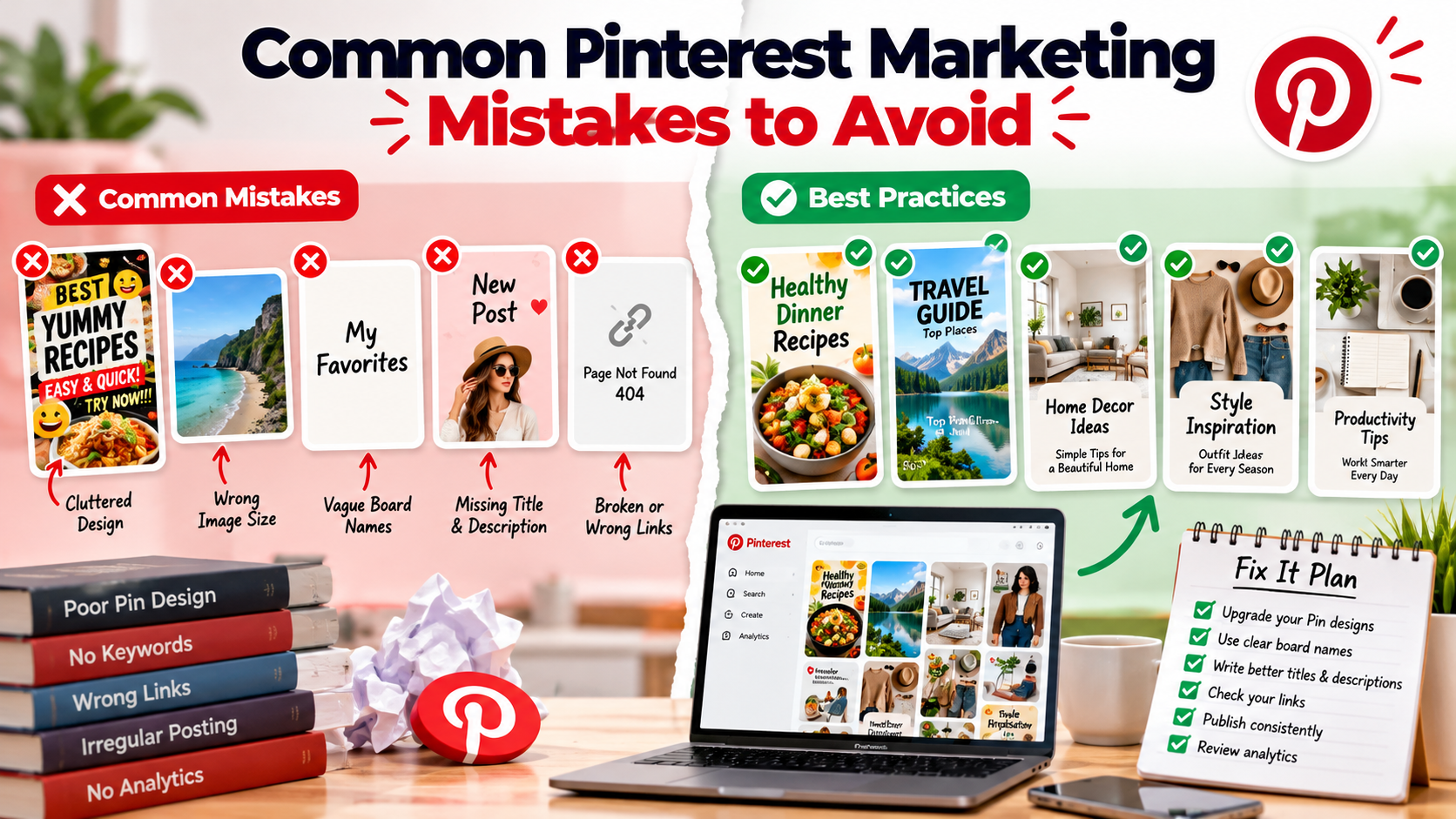
Most Pinterest problems come from a small set of avoidable habits. Here are the mistakes we see most often, and what to do instead.
1. Treating Pinterest like a short-lived feed
Pins can be discovered for a long time, so thinking only about today's post undersells the platform. Build a library of useful Pins instead.
2. Vague or clever board names
Names like "Stuff I love" tell nobody anything. Use clear topic names people would search for, and add a short description.
3. Cluttered, hard-to-read images
Too much text, tiny fonts and busy backgrounds make Pins hard to read on a phone. Use one headline, strong contrast and a clear subject.
4. Using the wrong image shape
Wide or square images take up less space than vertical ones. Use a vertical format, commonly 2:3, so your Pin stands out.
5. Skipping titles and descriptions
Pinterest relies on text to understand your Pin. Write a clear title and a natural description that includes relevant search terms.
6. Keyword stuffing
Repeating keywords makes descriptions unreadable. Write for people first and include terms naturally.
7. Linking to the wrong page or a broken one
Every Pin should lead to a page that matches it and works. Check links when you create Pins and again before scheduled Pins go out.
8. Publishing in bursts
Pinning twenty items in one day and then nothing for a month is hard to sustain. Choose a manageable rhythm and schedule Pins across the week.
9. Putting Pins on irrelevant boards
A Pin should belong on the board where it is published. Select boards deliberately rather than posting everything everywhere.
10. Never reviewing results
If you do not look at analytics, you cannot improve. Review impressions and engagement every few weeks and adjust your topics and designs.
How automation can help, and where it cannot
Scheduling takes care of consistency and saves the effort of uploading every Pin by hand. It will not fix weak images, vague text or mismatched links, so keep checking quality before you schedule. Treat automation as a way to deliver good content reliably, not as a substitute for it.
A short fix-it plan
- Rename and describe your boards.
- Review your last ten Pins for readability and links.
- Create a batch of improved Pins in a vertical format.
- Schedule them across two weeks.
- Check analytics at the end of the period.
For more detail on writing better Pins, read our guide to Pinterest tips and guides.
Share This Article
Was this article helpful?
Let us know so we can keep improving our guides.