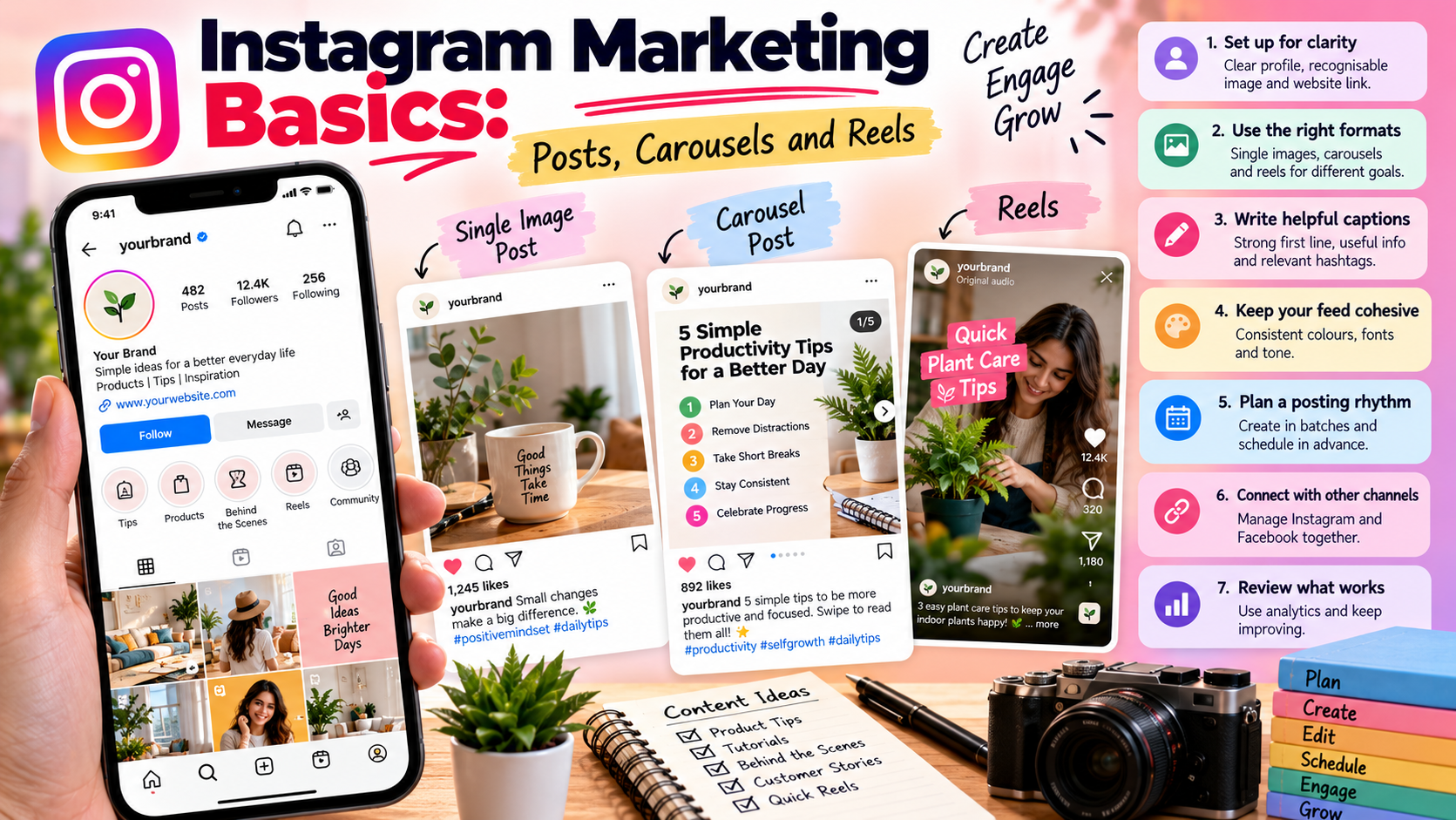
Instagram is a visual platform, so a clear approach to formats and consistency matters more than perfect design. This guide covers the basics for brands and creators who want to build a steady presence.
Set up for clarity
Make sure your profile explains what you do in one or two lines, uses a recognisable profile image and includes a link to your website. New visitors should understand your account within seconds.
Choose the right format
Single image posts
These are the simplest to prepare. Use them for product photos, quotes, announcements or a single idea with a strong visual.
Carousels
Carousels let you tell a story or explain a process across several images. They work well for tips, comparisons and step-by-step guides. Put the strongest point on the first slide to encourage swiping.
Reels
Short vertical videos suit demonstrations, quick tips and behind-the-scenes moments. Keep them focused on one idea. Page Auto Poster can create short vertical videos from a keyword and caption, which you can review before publishing.
Write captions that help
- Lead with a strong first line, since long captions are usually truncated in the feed.
- Give useful information or a clear point of view.
- Ask a simple question or suggest a next step.
- Use hashtags that are relevant to the post rather than a long generic list.
Keep your feed cohesive
Use a consistent colour palette, font style and tone. When your posts look and sound related, new visitors can quickly tell what your account is about.
Plan a posting rhythm
- Decide how many feed posts and reels you can realistically produce each week.
- Create several at once so you are not scrambling each day.
- Schedule them with a specific date and time.
- Leave open space for timely content.
Connect Instagram with the rest of your channels
If you also run a Facebook Page, you can manage both from the same dashboard and adapt the same idea for each platform. A tip might become a carousel on Instagram and a text post on Facebook.
Review what works
Use analytics to see which formats and topics get the most engagement, then plan more of those. Test one change at a time, such as a new caption style or posting time, so you can tell what made the difference.
Next steps
Choose one format, create a week of posts and schedule them. For a wider plan, see our Facebook marketing guides and the How It Works page.
Share This Article
Was this article helpful?
Let us know so we can keep improving our guides.