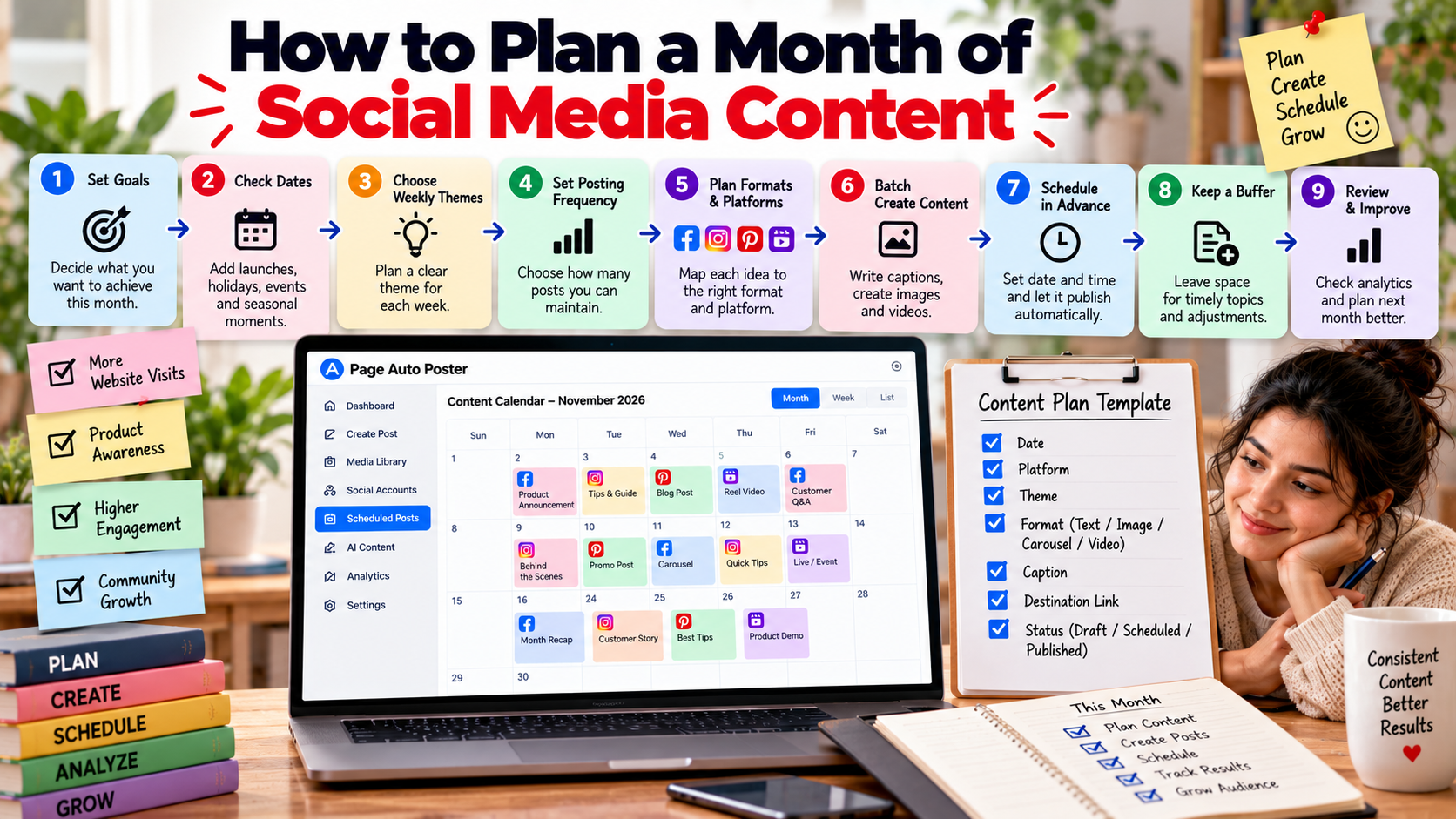
Planning a month ahead replaces daily "what should I post?" decisions with one focused planning session. It also makes your content more intentional, because you can see the whole picture at once. Here is a simple method you can repeat each month.
Step 1: Set one or two goals
Pick what you want the month to achieve, such as more website visits, more awareness of a new product or more engagement on existing posts. Fewer goals give you a clearer focus.
Step 2: Check the calendar for dates that matter
List launches, sales, holidays, events and seasonal moments that fall within the month. Add them to your calendar first, because they anchor your other content.
Step 3: Choose weekly themes
Give each week a theme tied to your goals. For example:
- Week 1: introduce a product or service.
- Week 2: educational tips related to it.
- Week 3: customer questions and answers.
- Week 4: behind-the-scenes content and a recap.
Step 4: Decide how many posts you can maintain
Be honest about capacity. It is better to plan three posts per week that you will actually publish than seven that you will not.
Step 5: Map formats to platforms
For each theme, decide which formats and platforms to use. One idea might become a Pinterest Pin, an Instagram carousel and a Facebook text post. Note the destination page for any post that includes a link.
Step 6: Batch creation
- Create all captions first, using generated text as a starting point and editing it into your voice.
- Create or upload the images and videos.
- Review everything for accuracy, links and spelling.
Step 7: Schedule in advance
Assign a date and time to every post and schedule it. Spreading posts out keeps your accounts active across the month. Page Auto Poster lets you schedule posts for Facebook, Instagram and Pinterest from the same dashboard, and publishing happens automatically.
Step 8: Keep a buffer
Leave a few open slots for timely topics and for adjusting to what you learn. A plan is a guide, not a rule.
Step 9: Review at month end
Look at analytics and publishing history. Which themes and formats performed better? What would you drop? Write down two or three lessons and use them to plan next month.
A quick template
For each post, note: date, platform, theme, format, caption, destination link and status. A simple spreadsheet with those columns is enough to keep everything organised. For a wider strategy, see our article on social media growth.
Share This Article
Was this article helpful?
Let us know so we can keep improving our guides.